

Paradox | Stereo Distortion | Free Trial $0.00

Paradox FX series · Saturation & distortion

Stereo Distortion

Add a little color or make the distortion take over.

NewParadox Series
$0.00

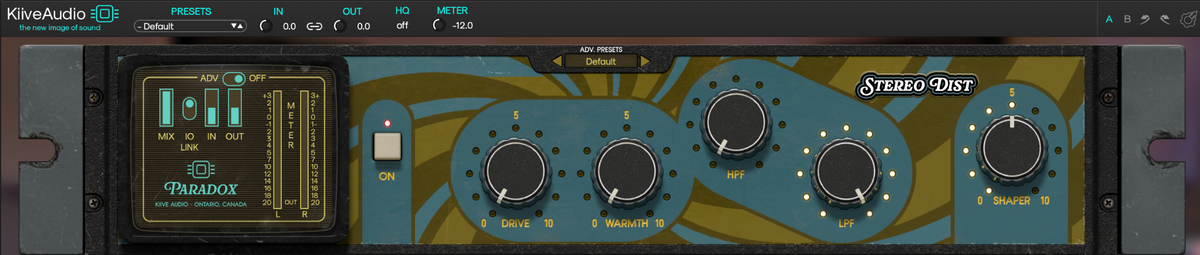
Build a fuller, denser sound, or turn up Drive for aggressive distortion. Warmth controls the resonances that can get sharp as you push, while transient shaping, frequency focus and mid/side processing let you decide how much of your original sound comes through.

14-day free trial · no card required
Instant download · free updates for life
VST3 · AU · AAX · macOS & Windows
Real Stereo Distortion Drive and Warmth controls, including complete labels.

Drive & Warmth

More drive,
less harshness.

Drive builds the harmonics, while Warmth suppresses resonances that can become sharp as the distortion increases.

Use a little for a fuller sound or take the drive into heavier territory, then shape the resonances without having to back away from the whole effect.

Choose what gets pushed

There’s more to distortion
than how much you add.

Real Stereo Distortion high-pass control and HPF label.
Real Stereo Distortion low-pass control and LPF label.

Distort a band.
Leave the rest alone.

In crossover mode, HPF and LPF define the band sent through the harmonic processing. The lows and highs outside that range pass through without the distortion.

Focus the grit in the middle, or open the range when you want the treatment across more of the sound.

Inside the advanced panel

Decide how the
distortion behaves.

Go beyond the amount of drive and shape how the distortion responds, where it lands in the stereo image and which resonances it brings forward.

Stereo Distortion advanced panel: LF Bump, M/S Focus, Dyn, Age, Warm Freq, Warm Depth, Warm Speed and FLTR.

Add weight where you want it.

LF Bump adds frequency-dependent low-end color before the first harmonic stage. M/S Focus lets you concentrate saturation in the center, the sides, or both, so you can thicken the middle while leaving the stereo edges cleaner, or color the sides without pushing the center.
Let the drive react to your music.

Dyn reduces the effective drive as the input gets louder, then lets it recover when the level falls. Age changes that recovery character, from a slower, more compressed response at low settings to quicker, cleaner saturation as you turn it up.

Keep the harsh edges in check.

Warm Freq targets a troublesome resonance and Warm Depth adds more suppression around it. Warm Speed sets how quickly that cut lets go, letting you choose a quick recovery or a smoother response that lingers after the resonance.

Choose what gets distorted.

Use FLTR to switch between normal high-pass and low-pass filtering and crossover mode. In crossover mode, only the band between HPF and LPF receives the harmonic processing, while the lows and highs outside it pass through untouched.

Compare at a similar level.

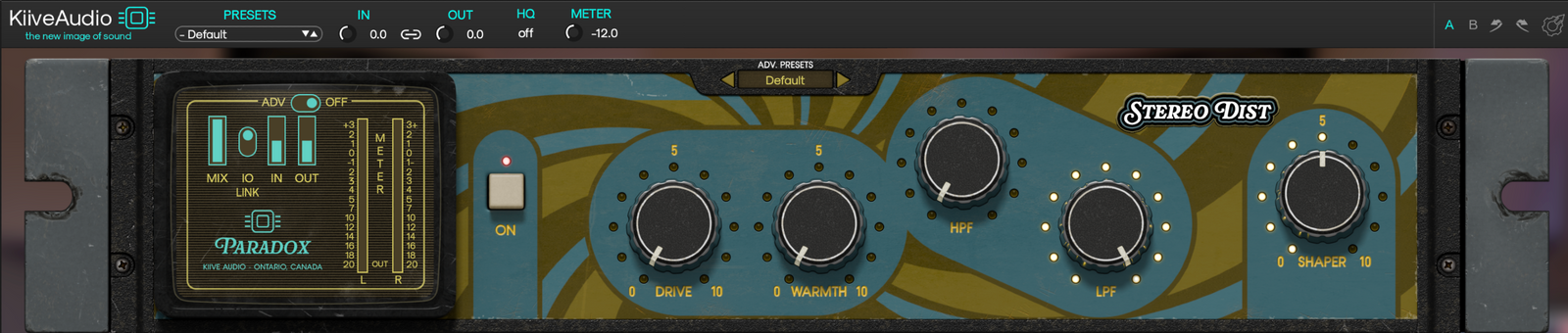
Blend with Mix, link input and output for level comparisons, and use A/B to keep two settings close by. HQ oversampling and your own presets are available in the top bar.

Hear what it does

From a little color
to a lot of distortion.

Compare the original recordings with subtle and more heavily driven settings.

Watch the Paradox walkthrough

Hear Paradox | Stereo Distortion

What Stereo Distortion users are saying.

Read all customer reviews

Build your Paradox

Hear where
the harmonics go.

Follow Stereo Distortion with Mod Filter and sweep through the harmonics you’ve added. Send it into PlasmaVerb for a distorted sound with a long, shifting trail behind it.

Explore the Paradox series
Stereo Distortion
Paradox Stereo Distortion, adding harmonics before filtering.
Into Mod Filter
Paradox Mod Filter, suggested after Stereo Distortion.

Good to know.

Need a hand?

Have a question about Stereo Distortion or getting it running in your session? Send us a message and we’ll help you get sorted.

Talk to us