



COMPRESSOR
Dial in the compression.
Threshold sets the amount of compression, with a fixed 5 ms attack, 300 ms release and 4:1 ratio. Engage Auto Gain when you want help compensating for the level change.
COMPACT CHANNEL STRIP
Give your sound color, shape and punch.
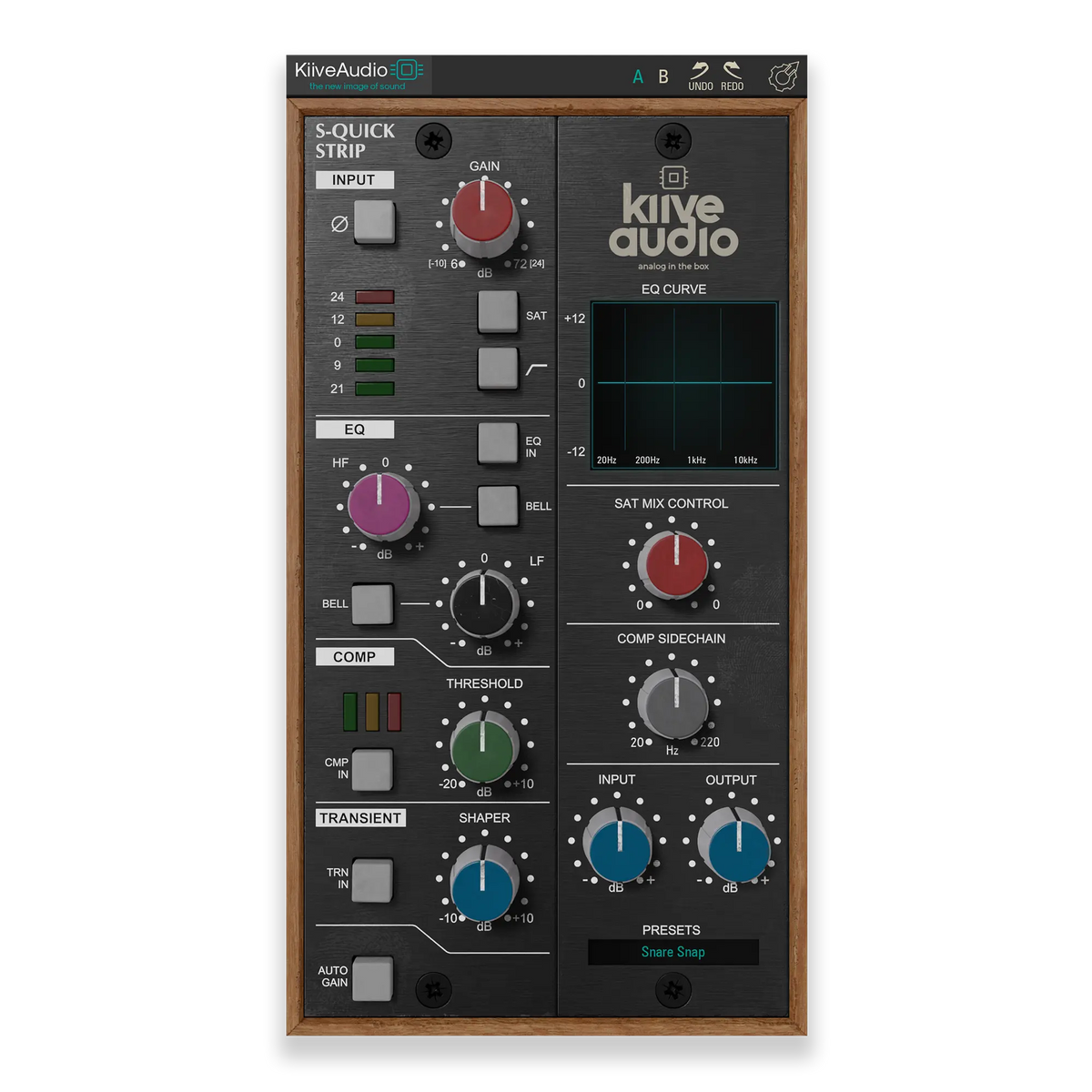
S-Quick Strip brings two saturation colors, musical EQ, compression and transient shaping into a compact console-style channel strip. Add a little weight, bring out the attack or soften an edge, with the controls you need close at hand.
PREAMP + SATURATION
Use the preamp gain to bring in harmonic color, then switch between the subtler circuit and a denser, slightly brighter saturation. The saturation control lets you choose how much of that character reaches your mix.
The 75 Hz high-pass filter helps clear low-end rumble before you work on the tone and dynamics.
TWO-BAND EQ
The low and high bands give you a useful starting point for shaping a sound. Choose broad shelves for weight and air, or switch to bell curves when you want a more focused adjustment.
The low band moves between a 120 Hz shelf and a 200 Hz bell; the high band switches between an 8 kHz shelf and a 2 kHz bell. You can hear the change and keep moving.
COMPRESSION + TRANSIENTS
Use compression to bring the level together, then decide how much of the initial hit you want to hear.
COMPRESSOR
Threshold sets the amount of compression, with a fixed 5 ms attack, 300 ms release and 4:1 ratio. Engage Auto Gain when you want help compensating for the level change.
TRANSIENT SHAPER
Turn the transient control clockwise to emphasize the attack, or counterclockwise to smooth it back. It gives you another way to place a sound in the mix after setting the compression.
THE FINISHING CONTROLS
Adjust saturation separately from the input and output levels. The compressor’s sidechain filter reduces how strongly low frequencies drive the detector, so the bass does not have to dictate every gain-reduction move.
Use the output control to compare the processed and dry sound at a similar level as you make your decisions.
Try S-Quick Strip free for 14 days and hear it in your own sessions.
Have a question about S-Quick Strip or getting it running in your session? Send us a message and we’ll help you get sorted.


