

01
Paradox FX series · Three-voice chorus
From a gentle double to a wide, drifting chorus.
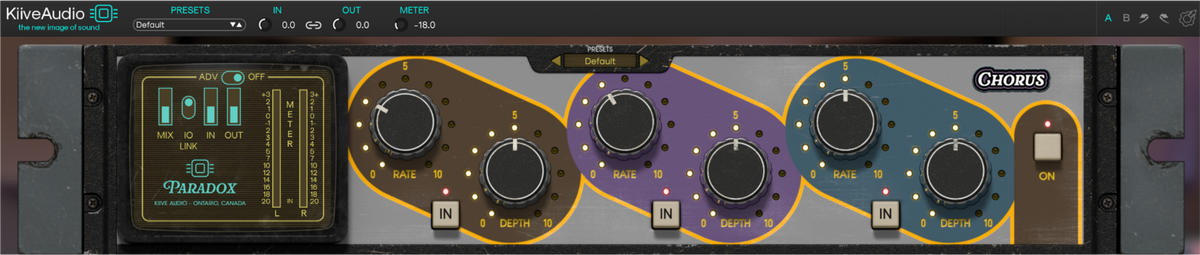
Blend three independent chorus voices for subtle detuning, rich ensemble sounds or a wider, more animated mix. Tape-style drive and adjustable delay times take the same chorus into warmer textures, doubling and slapback.
Three independent voices
Each voice has its own rate and depth, so you can combine a gentle drift with faster, deeper modulation. Use one on its own or bring all three together for a chorus with more motion and depth.
The way the voices move
The three voices can move as a close ensemble or pull away from each other. Adjust their timing and stereo relationship to change how the chorus sits around your music.

Rate Drift
Turn Rate Drift down to bring the voices toward Voice 1’s rate. At its default setting, each follows its own Rate control; higher settings stretch the differences for more restless, shifting modulation.

Stereo width
L/R Phase Width offsets the modulation between the left and right channels. Keep it narrow for a focused chorus, or spread Voices 2 and 3 across the stereo field while Voice 1 stays centered.

Doubling & slapback
The three Tap controls set a separate delay time for each voice, up to 100 ms. Short times keep the effect close to classic chorus, while longer settings open up doubling and slapback textures.
Tape-style color
Drive adds tape-style saturation before the chorus voices, bringing more harmonics and softer transients into the movement. Keep it subtle for gentle color or push harder for a rougher, more saturated texture.
Drive Focus lets you favor the center or the sides, adding color across the stereo image or keeping it concentrated where you want it.
HF Damp rolls off high frequencies entering the delay lines for a darker chorus, while higher settings keep more of the original brightness.
Compare settings with A/B, balance the effect with Mix and use linked input/output levels when adjusting gain. THD bypass keeps the effect free of added saturation when you want a cleaner chorus.
Hear Paradox | Chorus
What Chorus users are saying.
Distortion into Chorus
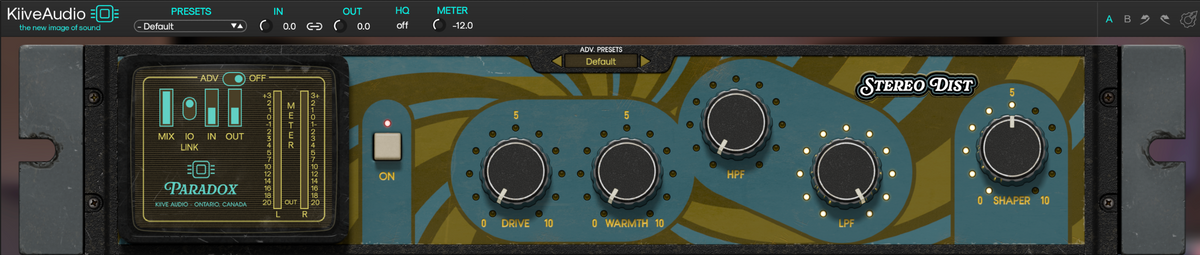
Run Stereo Distortion into Chorus to spread a saturated sound across the stereo field. Keep the modulation shallow for a fuller double, or let the voices drift further apart for a more animated texture.
Download Chorus and try the full plugin free for 14 days in your own sessions.
Have a question about Chorus or getting it running in your session? Send us a message and we’ll help you get sorted.